EN
EN


How to Choose a UV Printer Supplier for Custom Printing
Choosing a uv printer supplier is not simply a matter of comparing a quoted machine price. For custom-printing shops, distributors, and growing production teams, the better question is whether a supplier can help you reach stable output after the crate arrives. A capable uv printer can print directly on materials such as acrylic, glass, metal, wood, leather, and specialty objects, but reliable results depend on the machine, ink workflow, software, setup, and support working together.
That distinction matters most when you are buying for commercial work. A lower initial quotation may look attractive, yet lost production time, unavailable parts, unclear training, or weak color support can quickly outweigh the saving. This guide gives you a practical way to assess a uv printer supplier before you place an order.
Start With Your Actual Custom-Printing Jobs
Before contacting suppliers, define the work your uv printer must perform. List the substrates, maximum item dimensions, thicknesses, required finishes, daily order pattern, and any objects that need a rotary attachment. A shop printing phone cases and acrylic signs has a different workflow from a business decorating bottles, gift packaging, or industrial panels.
Ask each supplier to explain the fit between the proposed configuration and those jobs. Do not settle for a generic statement that an uv inkjet printer can print “almost anything.” Instead, request a clear answer on fixture needs, printable height, white-ink workflow, curing sequence, RIP setup, and the steps required when switching materials. The most useful supplier discussion is specific to your production reality, not a broad capability list.
Make Sample Validation a Purchase Gate
Samples are one of the strongest signals you can collect before buying a uv printer. Send artwork and representative substrates where practical, then ask for samples that reproduce your intended use: fine text, solid color, gradients, white ink, layered effects, and edge details. If adhesion or durability matters to your customers, agree on the test method in advance rather than judging by appearance alone.
Review samples under normal viewing conditions and ask how the supplier prepared them. The purpose is not to demand a flawless showpiece; it is to see whether the supplier can describe settings, material preparation, and limits honestly. A supplier that explains why a result needs a primer, a jig, a different ink layer, or a slower pass is often more useful than one that promises every job will be effortless.
Evaluate the Support System, Not Just the Machine
Custom printing is a production system. Ask for the support scope in writing: remote installation assistance, operator training, software onboarding, maintenance schedules, troubleshooting channels, and expected response process. For an uv printer, practical training should cover nozzle checks, printhead cleaning, capping-station care, media-path cleaning, calibration, and safe routines for white ink. These are normal operating tasks, not signs that a machine is inherently poor.
Also ask who will support you after commissioning. Is technical help delivered by the factory, a local partner, or a reseller? What information will they ask for when diagnosing an issue? A supplier with a repeatable process for photos, test prints, logs, and remote sessions can shorten troubleshooting time substantially.
Check Spare Parts, Consumables, and Software Continuity
Ask for a parts-and-consumables list before you buy. It should identify routine maintenance items, recommended ink, filters, dampers, cleaning materials, and any components that may need replacement over time. Then ask what is stocked, what is made to order, and how the supplier handles urgent requests for overseas buyers.
Software deserves the same attention. Confirm which RIP software is included, what training is provided, how profiles are managed, and whether the supplier can support alignment and color troubleshooting. An uv inkjet printer is only as productive as the workflow around it. A configuration that is technically impressive but difficult for your team to operate consistently may not be the most suitable commercial choice.
Use a Supplier Scorecard Before You Compare Prices
| Evaluation area | What to verify |
|---|---|
| Application fit | Your substrates, item size, required effects, volume, and workflow. |
| Sample quality | Your artwork and representative materials, with documented settings and limits. |
| Technical support | Installation, training, remote diagnosis, response process, and escalation path. |
| Operating readiness | Maintenance instructions, consumable plan, software support, and calibration guidance. |
| Supply continuity | Parts availability, shipping process, and replacement lead-time communication. |
| Commercial clarity | Quoted configuration, inclusions, exclusions, warranty terms, and responsibilities. |
Score each supplier against the same questions. This makes the comparison fairer and helps prevent price from becoming the only decision criterion. You might be thinking a higher-priced option is automatically safer; that may not hold in every case. The better choice is the supplier that can show evidence of fit, explain trade-offs, and support the workflow you are actually building.
Assess Training and Handover Before You Pay the Balance
A strong handover plan turns a new uv printer into a usable asset. Ask what the operator will be able to do independently after training: start-up checks, basic color and alignment checks, material preparation, daily shutdown, routine cleaning, and first-level fault reporting. Request manuals, training videos, and a simple maintenance calendar in a form your team can retain.
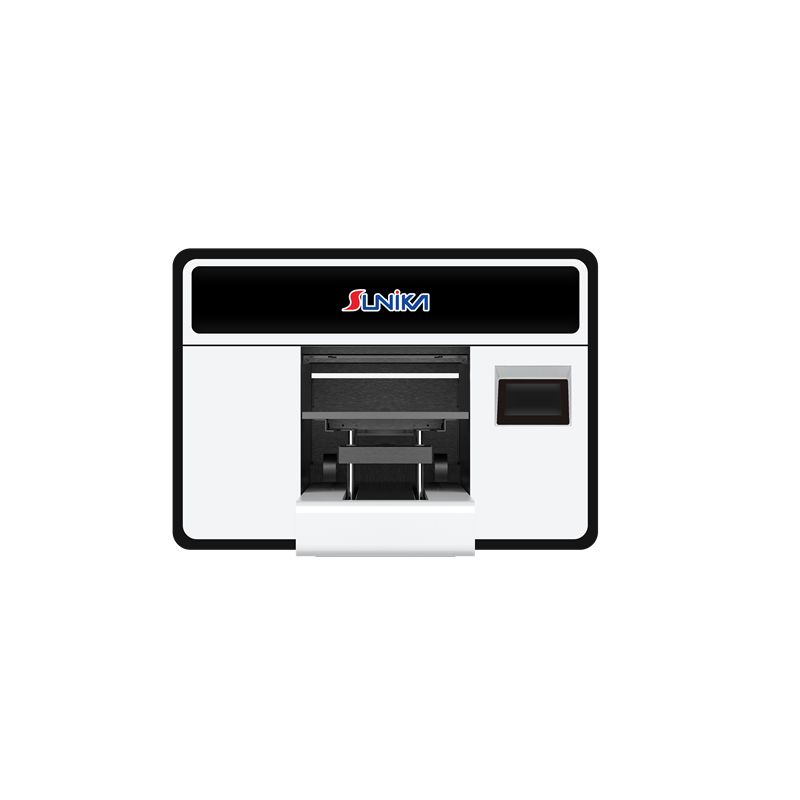
For buyers who need a compact flatbed option, review the supplier’s documented workflow around the Sunika Sk-A3UV Printer Single I3200 UV Flatbed Printer alongside your own sample requirements. The product link is a starting point for due diligence, not a substitute for verifying the final configuration and service terms.
Final Decision: Choose the Supplier That Reduces Operating Risk
The right uv printer supplier gives you more than a machine specification. They help you validate samples, understand setup requirements, plan consumables and parts, train operators, and resolve predictable issues with a clear process. For distributors and custom-printing businesses, that operational readiness can be more valuable than a small difference in the purchase quote.
Before you commit, request the final configuration, sample record, support scope, training plan, parts list, and commercial terms in writing. That checklist will make your uv printer purchase more comparable, more transparent, and far more likely to support consistent custom-printing output.