EN
EN

UV Printing on Wood: What Small Print Shops Should Know
For a small custom-print business, a uv wood printer can turn plain boards into signs, décor panels, branded displays, and short-run gifts without making screens or transfers. That flexibility is useful—but wood is not a perfectly uniform substrate. Grain, pores, coating, moisture, flatness, and color can all change the result. The most reliable approach is to build a repeatable test process before you promise a finish to a customer.
As print-shop operators learn through day-to-day setup and output inspection, the key question is not simply whether an uv wood printer can print on wood. It is whether the board, artwork, ink layers, and workflow fit together for the finish the buyer expects.
What UV Printing on Wood Does Well
A UV flatbed workflow places ink directly on a rigid surface and cures it with UV light. This makes an uv wood printer practical for full-color artwork, small batches, variable names, logos, and designs that would be inefficient to set up with conventional methods. Wood-based substrates commonly used for trials include sealed natural wood, plywood, MDF, bamboo, and coated panels.
The visual appeal comes from the interaction between printed artwork and the substrate. A smooth, sealed board can make colors look more controlled; a more open grain can become part of the design. Neither is automatically better. A rustic product line may benefit from visible grain, while a branded countertop sign may need a more consistent ground.
Start with the Board, Not the Print File
Wood varies more than many small shops expect. Two boards sold as the same material may differ in grain direction, absorbency, surface dust, knots, resin, and flatness. Before loading a production order, inspect the board under normal shop lighting and decide what must be consistent: color, edge quality, texture, or adhesion.
- Check flatness: a bowed board can change head clearance and make a print risky or uneven.
- Clean carefully: remove sanding dust, fingerprints, oils, and loose fibers. Do not leave cleaning moisture on the surface.
- Stabilize the material: keep stock in a consistent environment. Industry guidance often recommends stable, low moisture content for wood printing; confirm the right condition with your own material supplier and test panels.
- Decide whether to seal: a compatible sealer or primer can reduce uncontrolled absorption on porous stock. Test compatibility before using it on a paid job.
These checks may feel routine, but they are useful records when diagnosing a production issue. They help a small shop separate a material issue from a file, ink, or machine-setting issue when something goes wrong.
A Low-Risk Test Workflow for an UV Wood Printer
Use a small test panel from the same board batch whenever the material, finish, or artwork changes. A practical uv wood printer workflow is simple enough to repeat:
- Make a test strip. Include solid color, fine text, a gradient, a photo area, and a white-ink section if relevant.
- Print a baseline. Use a known-good profile rather than changing several controls at once.
- Inspect after curing. Look at color, grain show-through, pinholes, edge definition, and whether the ink appears to sit consistently across the surface.
- Run an adhesion check appropriate to your process. Record the board type, finish, ink configuration, and result so future orders do not start from zero.
- Approve a retained sample. Keep it with the job notes or customer sign-off before running the full batch.
Proper curing matters because it is tied to adhesion and durability. If a test shows weak adhesion, avoid assuming that more UV energy is the universal answer. Recheck surface preparation, coating compatibility, ink setup, and the board itself, then change one factor at a time.
When White Ink Helps—and When It Adds Work
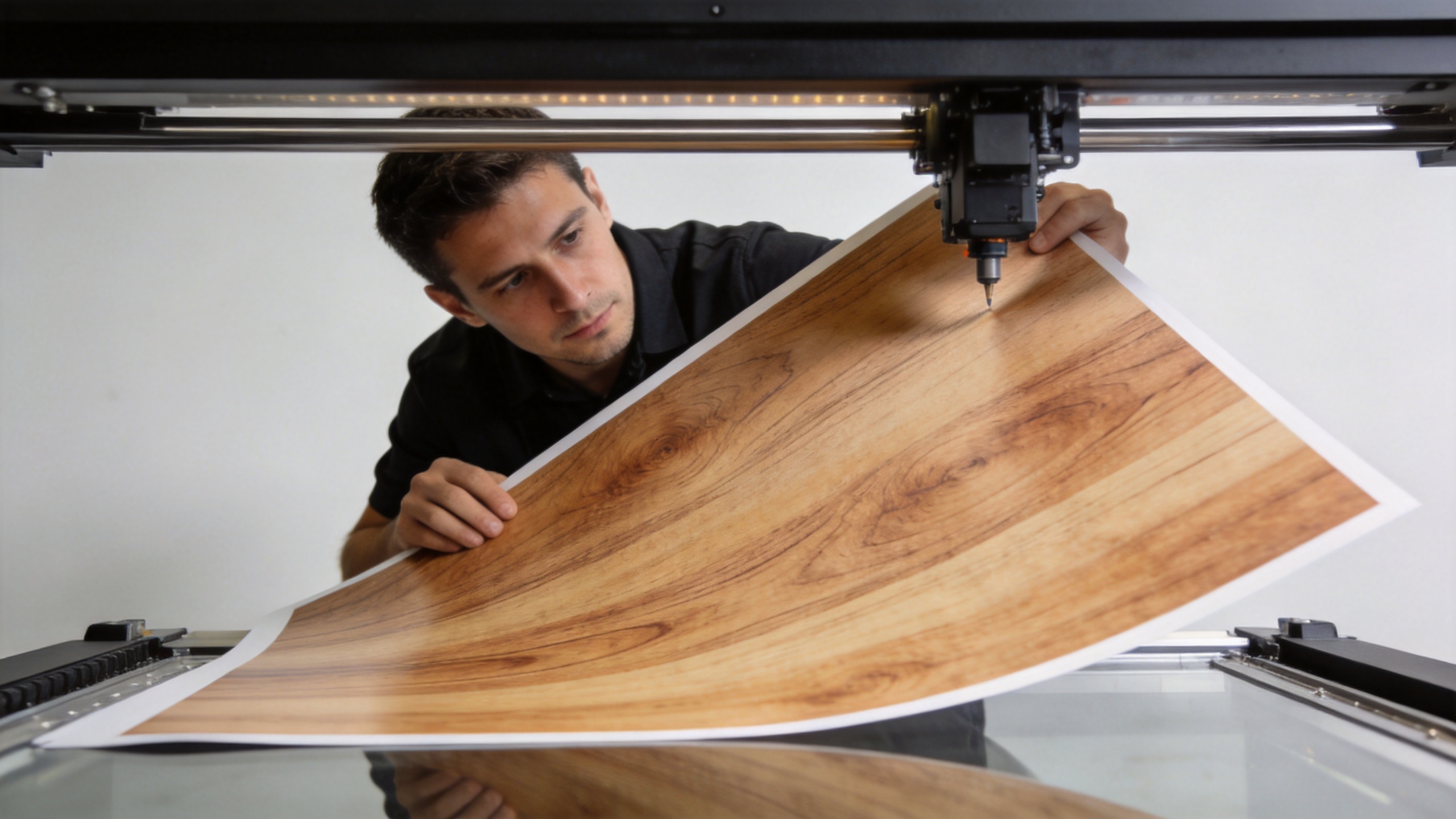
On dark, stained, or highly colored wood, a white underbase can make artwork from an uv printer appear brighter and more predictable. It is especially helpful when a brand color or small text needs contrast. On pale wood, you may prefer to omit white so the grain remains visible.
White ink is a design and workflow decision, not a default setting. It can add print time, material use, alignment sensitivity, and visible-edge risk. Test the white layer with the actual art: a slightly expanded or poorly controlled underbase can show around the color image. For some rustic products, that extra layer may work against the intended look.
Common Limits Small Shops Should Explain Up Front
Setting expectations before production protects both the order and the customer relationship. UV printing can create an attractive direct-to-wood finish, but it does not erase the behavior of the material. Open pores can affect solid areas; knots and grain can influence perceived color; uneven coatings can change adhesion; and a warped board is not a good candidate for a tight-clearance flatbed job.
It is also wise to avoid promising that every image will look identical across every wood species. Show the customer a sample or a digital mockup labeled as representative. If exact brand color is essential, build in a physical approval step rather than relying on an on-screen preview.
Choosing Equipment for Your Actual Wood Jobs
For a small shop, assess a uv wood printer by the jobs you plan to sell: maximum board size, usable thickness, head clearance, white-ink workflow, repeatability, maintenance routine, and support for your team. A compact machine may be suitable for personalized plaques and samples; a larger flatbed may make more sense for signs or repeated panel work. The right fit depends on the production workflow.
If you are comparing a production-oriented option, review the 6090 9060 UV FLATBED PRINTER alongside your board dimensions, order volume, and test requirements. Use a live sample on your own wood stock to confirm fit before making a purchasing decision.
Quick UV Wood Printer Setup Checklist
Use this checklist to standardize an uv wood printer job before accepting a repeat order. The goal is not to force every uv printer setting to be identical; it is to document the conditions that produced an acceptable sample.
| Checkpoint | What to record |
|---|---|
| UV wood printer file setup | Artwork version, final dimensions, and whether grain should remain visible. |
| UV printer board type | Wood species or panel type, thickness, finish, and supplier batch. |
| UV wood printer surface check | Flatness, dust removal, visible defects, and whether a compatible sealer was used. |
| UV printer ink plan | Color-only or white-underbase workflow, plus the artwork areas receiving white. |
| UV wood printer baseline | Profile name and the controlled settings used for the approved sample. |
| UV printer test image | Fine text, solids, gradients, photo detail, and edge areas included in the test strip. |
| UV wood printer inspection | Color appearance, pinholes, grain interaction, and edge definition after curing. |
| UV printer adhesion note | The check method used and the observed outcome on that actual board. |
| UV wood printer customer sample | Whether the customer saw and approved the expected texture and color variation. |
| UV printer reprint note | Changes required before a second run, kept with the job record. |
A documented uv wood printer checklist gives a growing shop a consistent handoff between operators. It also makes an uv printer test useful later: when a new board behaves differently, the team has a baseline for comparison instead of guessing.
FAQ: Practical Questions Before Your First Wood Job
Can an uv wood printer print directly on unfinished lumber?
An uv wood printer may print on unfinished stock, but open pores and uneven absorption can change the result. Test a representative piece first, then decide whether the intended look needs sealing.
Do I need white ink with an uv printer for every job?
No. An uv printer white layer is most useful when the artwork needs contrast over dark or saturated wood. For a natural-grain effect, a color-only test may be the better starting point.
What is the safest way to quote an uv wood printer order?
Quote from an approved physical sample. An uv wood printer job should account for board preparation, test time, white ink if used, and the acceptable level of natural variation.
Final Takeaway
An uv wood printer gives small print shops a versatile route into personalized rigid-substrate work, but dependable results come from material control rather than a one-click setup. Start with clean, stable, flat boards; test sealing and white-ink choices; retain approved samples; and communicate the natural variation of wood before production. That process makes it easier to price confidently, troubleshoot quickly, and offer wood printing as a repeatable service rather than a gamble.